Table of contents:
Top 10 Augmented Reality Development Tools in 2025

Thinking about how Augmented Reality (AR) could really improve your business? Maybe you’re picturing more engaging ways to connect with customers, smarter ways to train your team, or even completely new operational efficiencies? All these are possible with AR. But then comes the big question: how can we actually build that?
As an experienced developer in creating AR/VR solutions, I understand the importance of making the right choice. That’s why I’ve compiled this guide to the 10 best Augmented Reality development kits currently available. So, you can find the perfect foundation for your next impactful AR solution.
Top 10 Augmented Reality Development Tools in 2025
AR SDK, or Augmented Reality software development kit, is a toolbox for creating immersive experiences. It has a set of pre-built tools, libraries, and APIs (application programming interfaces) that help developers create AR solutions without starting from scratch.
Here’s how I like to think about it:
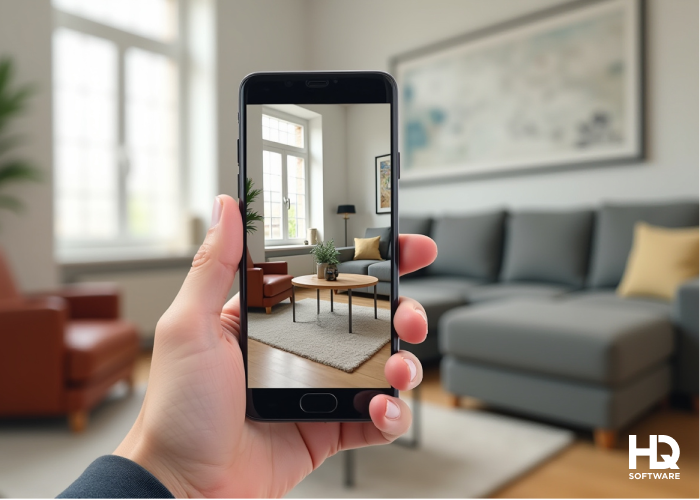
For example, if you want to build an AR app that lets users see how furniture would look in their living room, an AR SDK would handle the heavy lifting, track the room, place the furniture model, and ensure it looks realistic.
I’ve worked with a wide range of tools to engineer numerous immersive projects. So, I can guide you through the top 10 Augmented Reality development tools. I’ll break down their standout features, supported platforms, and the types of projects they’re best suited for. So you can find the perfect fit for your next big idea.
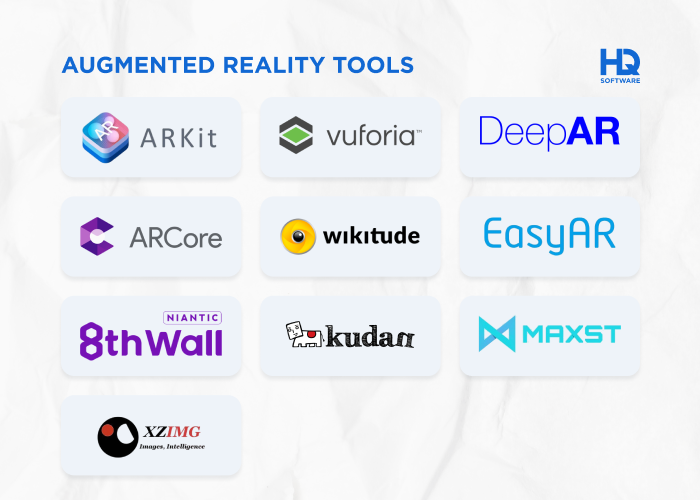
Apple’s ARKit is the gold standard for iOS Augmented Reality development, offering:
ARKit can be used in creating apps for both iPhone and iPad that have an A9 processor. Moreover, including light detection and ranging (LiDAR) technology that precisely measures the environment allows for exceptionally accurate depth mapping.
Businesses focusing on AR shopping experiences, interior design apps, or educational tools will find ARKit incredibly powerful. If your audience is primarily iPhone or iPad users, this is the best choice.
Example: an interior design app that leverages advanced motion tracking and LiDAR scanning to generate a precise 3D model of a user’s room in real time. By accurately mapping out dimensions and surface details, it enables users to virtually place and arrange furniture and decor with exact scale and perspective.
Operational system: iOS.
Need a custom software solution? We’re ready to help!Hymux Technologies has a team of skilled professionals ready to tackle the project. Ask me!
Victoria Rokash
Business Development Manager
Google’s ARCore is the Android counterpart to ARKit, delivering features such as:
ARKit apps are supported both on Android and iOS devices, allowing you to develop cross-platform AR apps, which is a huge benefit.
It’s perfect for retail, gaming, and Augmented Reality navigation applications. If your business wants to reach a global Android audience with AR-powered apps, ARCore is a must-have tool.
Example: a retail app that enriches the shopping experience. It uses Augmented Reality to enhance your in-store shopping by overlaying directions and product details onto your view as you walk around.
Operational system: Android, with some cross-platform support.
Wikitude is a strong player in the Augmented Reality space, providing:
Its SLAM (simultaneous localization and mapping) technology ensures accurate tracking for immersive experiences. Best suited for tourism, retail, and marketing campaigns, Wikitude is great if you want to build AR experiences that blend digital objects with real locations.
Example: a tourism app uses AR to show historical information, 3D reconstructions, and directions on your phone when you point it at landmarks.
Operational system: iOS, Android, Windows, macOS.
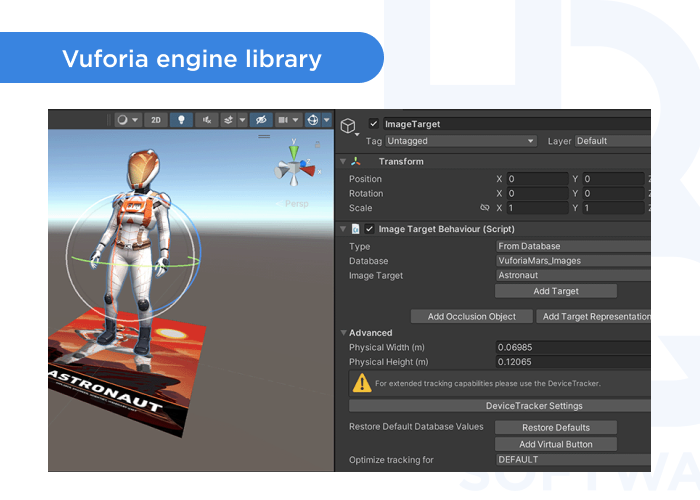
Vuforia is one of the most versatile AR SDKs, known for its extensive feature set:
With Vuforia, you can create complex AR experiences that integrate them with real objects and environments. This is widely used for industrial applications, product visualization, marketing, and training simulations. If your company needs an enterprise-grade AR solution, especially for manufacturing, automotive, or healthcare, Vuforia is a solid choice.
Thanks to API accessibility through Unity, Vuforia can be used to develop your own iOS and Android apps.
Example: a training app that uses AR on a tablet or glasses to guide maintenance technicians through complex machinery repairs. The app overlays step-by-step instructions and animated 3D models directly onto their view.
Operational system: iOS, Android, Windows, macOS.
EasyAR is a cost-effective alternative to Vuforia, featuring:
EasyAR provides 2 packages:
EasyAR basic for managing workflow, API enhancements, video playback, QR code scanning, and comprehensive integration.
EasyAR pro for implementing features such as 3D object tracking, screen recording, simultaneous detection and tracking of multiple marker types.
Its SDK allows companies and developers to extend immersive AR experiences through mobile apps. EasyAR is particularly useful for small businesses and startups looking to integrate Augmented Reality into their apps without high licensing costs. If you’re building AR books, interactive marketing content, or educational tools, EasyAR is a great budget-friendly option.
Example: an app that allows customers to scan book covers with their phones to see interactive 3D animations of characters or scenes from the story pop up. This can enhance the reading experience and provide engaging marketing content.
Operational system: iOS, Android, Windows.
Considering custom software?Hymux Technologies’s team of experts can design and develop the perfect solution for your business. Let’s discuss it
Dmitry Tihonovich
Business Development Manager
MAXST is a comprehensive platform that provides two SDKs as well:
Among the most important features are:
Maxst is also known for its visual SLAM and multi-platform support. It’s widely used in retail, industrial training, and smart city applications. If your project involves digital twins, AR-assisted construction, or supply chain visualization, Maxst provides the right tools to achieve your development goals.
Example: an AR construction app streamlines project management by overlaying digital blueprints, 3D models, and real-time supply chain data onto the physical job site.
Operational system: iOS, Android, Windows, macOS.
Kudan is another versatile AR SDK whose main features include:
By simultaneously localizing itself and mapping its surroundings, SLAM technology offers significant advantages for robotics, autonomous vehicles, and industrial AR applications. If your business deals with machine vision, drone navigation, or the automotive industry, Kudan’s precision-focused AR engine can be very useful.
Example: an AR system that allows workers to see hidden electrical wiring and plumbing through walls while moving around a building site. This can help reduce accidental damage.
Operational system: iOS, Android, Windows, Linux.
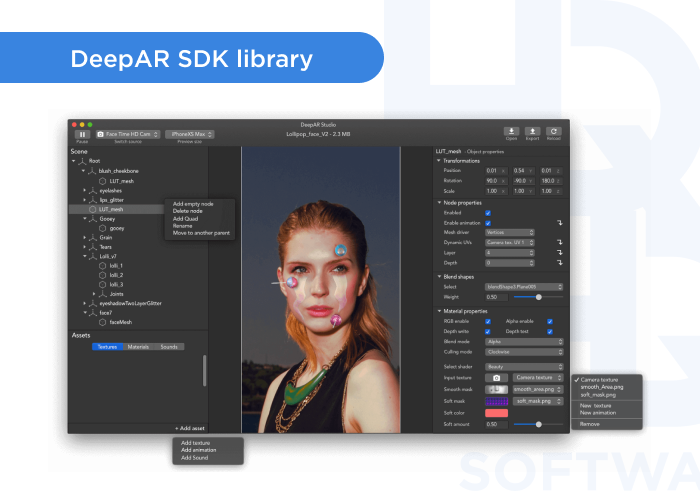
DeepAR is a go-to for social media apps, 3D face masks, filters and special effects for Snapchat, virtual try-ons, and beauty tech. DeepAR specializes in:
For these purposes, DeepAR uses Machine Learning models and neural networks. So, if you’re in the fashion, cosmetics, or entertainment industry and need Snapchat-style AR filters or virtual makeup applications, DeepAR is a perfect fit.
Example: a social media beauty app that employs face tracking to allow users to virtually try on makeup — for instance, overlaying lipstick, eyeshadow, and other cosmetics.
Operational system: iOS, Android, Web.
XZIMG is software that includes AR image processing and face and object recognition33333. XZIMG specializes in:
There are several XZIMG products: the Augmented Face solution, Augmented Vision, and Magic Face. Applications can be developed for PC, cell phone, or web browser using the Unity plugin. This versatility makes it ideal for gaming, entertainment, and interactive advertising.
If you’re looking to develop AR-based video effects, interactive face filters, or engaging marketing content, XZIMG offers lightweight but powerful solutions.
Example: a social media app that uses face-tracking to create AR filters that react to facial expressions, adding fun effects like virtual makeup, masks, or 3D animations.
Operational system: iOS, Android, Web.
Need a custom software solution? We’re ready to help!Hymux Technologies has a team of skilled professionals ready to tackle the project. Ask me!
Natallia Rudzik
Business Development Manager
8th Wall is a web-based platform that enables Augmented Reality experiences directly in the browser. So, there is no app download required, eliminating a large source of friction between developers and consumers. Accessing the web interface on a compatible mobile device is as easy as scanning a QR code or navigating to an address in a browser. Key features are:
It’s perfect for marketing campaigns, e-commerce, and location-based AR experiences. When you want to create interactive AR experiences that work seamlessly across devices, 8th Wall is the best choice for web AR.
Example: a promotional campaign app that lets customers scan product labels with their phones to instantly see 3D animated characters emerge from the packaging.
Operational system: Web-based, works on iOS, Android, PC, and Mac.
To sum up, choosing the right AR development tool depends on your target platform, industry, and project complexity.
Now let’s consider how to choose precisely the right option, so you don’t waste time with a platform that doesn’t fit your specific needs.
I understand that it’s often a struggle to match technical needs with project goals while keeping a close eye on time and budget. However, your unique requirements will decide which SDK works best for your project.
Let me guide you through my personalized approach for selecting the right AR SDK for a project :
Now that we’ve covered the key factors in choosing the right AR SDK, let’s explore some existing applications through Hymux Technologies’s AR project portfolio. Our experience in implementing various AR solutions demonstrates these selection principles in action.
To illustrate the capabilities of AR development tools and how they act in various domains, I’ve gathered a list of interesting AR projects that we’ve worked on at Hymux Technologies. These cases will help you more easily select the right tool for your specific needs and project features.
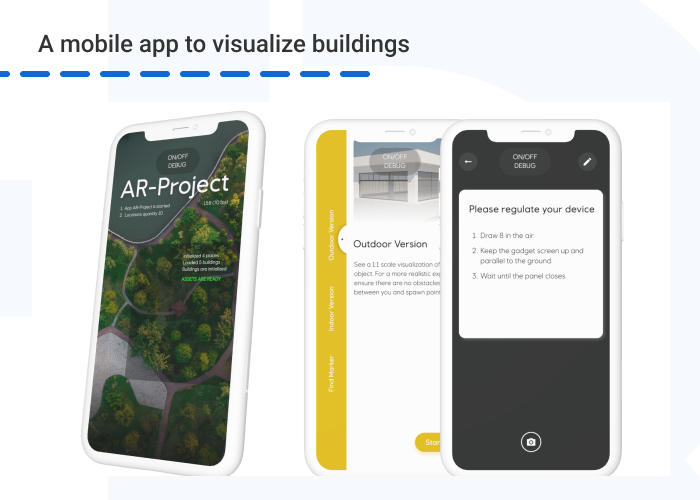
Our first example is an AR app that allows users to preview potential construction projects, offering a clear vision of how the land will be developed. Utilizing GPS navigation, users can explore 3D models from various perspectives, whether from a distance, up close, or even from nearby water. This means that, when near the location of the proposed project, the user can activate AR mode to view the envisioned building at full, real-life scale.
Our development team selected the ArCore and ArKit SDKs because they offer precise device localization and enable optimal adjustment of the marker’s position when it’s visible in the camera’s view.
Industry: construction.
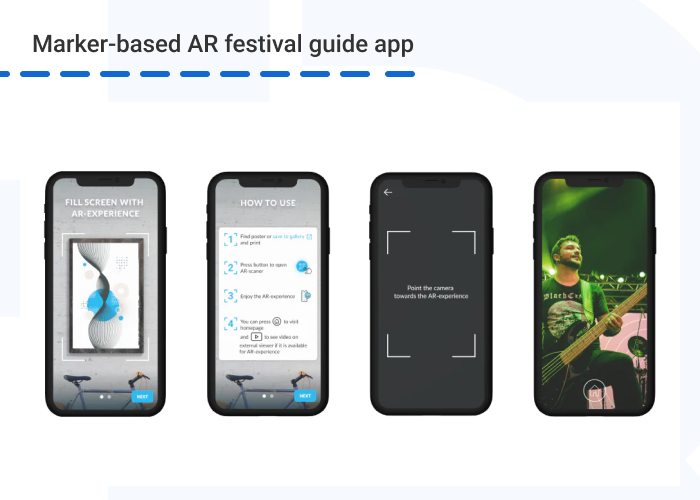
The final solution in this project was a mobile app that uses smartphone cameras as AR scanners to trigger Augmented Reality experiences. When visitors to the festival site hover their device over a marker, they receive an AR experience, often including audiovisual content that highlights the performance of bands and singers.
For this project we used the EasyAR SDK for the AR mobile application, as it can detect markers or QR codes and display overlay information in AR mode.
Industry: entertainment, marketing.
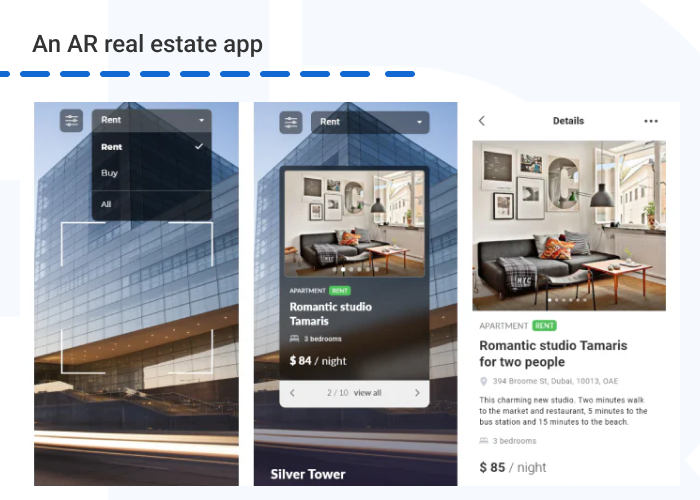
This app streamlines real estate navigation, delivering engaging information on available sale and rental properties. The user scans a building and then, by clicking on the AR information panel, gets details about available units. The user can view a list of properties that includes both brief and full descriptions of each selected unit, as well as a photo gallery and pricing information — all of which can be filtered using the buy/rent option.
For this project we’ve selected Wikitude SDK because it is the top AR framework for accurately recognizing buildings.
Industry: real estate.
Overall, picking the right AR SDK is like choosing the perfect paintbrush for your masterpiece. It all depends on what you want to create.
At Hymux Technologies, we can help you select and integrate the best AR SDK for your project, ensuring seamless functionality and an engaging user experience.
We offer a full range of AR development services, including:
With our expertise, we ensure your AR project is innovative, user-friendly, and aligned with your business goals.
Ready to develop your AR project, but need more information? Contact us to know more about our AR development services.
AR/VR Expert
A developer with extensive expertise in AR/VR, very ingrained into the topic of Mixed Reality development. Shares his knowledge and the results of many years of work.


Subscribe for more!
We are open to seeing your business needs and determining the best solution. Complete this form, and receive a free personalized proposal from your dedicated manager.

Sergei Vardomatski
Founder