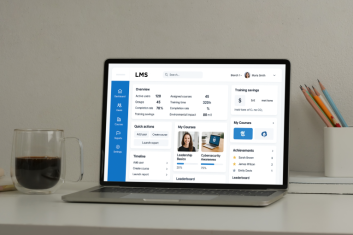
Is your manufacturing workforce prepared for the technological leap that 2026 demands? As automation, Artificial Intelligence (AI), and smart manufacturing impact production floors worldwide, the gap between required skills and current capabilities continues to widen at an alarming rate. But here’s the good news: the right manufacturing-focused learning management system (LMS) can turn this challenge into your competitive edge.
At Hymux Technologies, we’ve analyzed 50+ manufacturing training solutions to identify the tools that deliver real results. This guide will help you navigate the complex market of manufacturing training technology and select solutions that align with your operational goals and workforce needs.
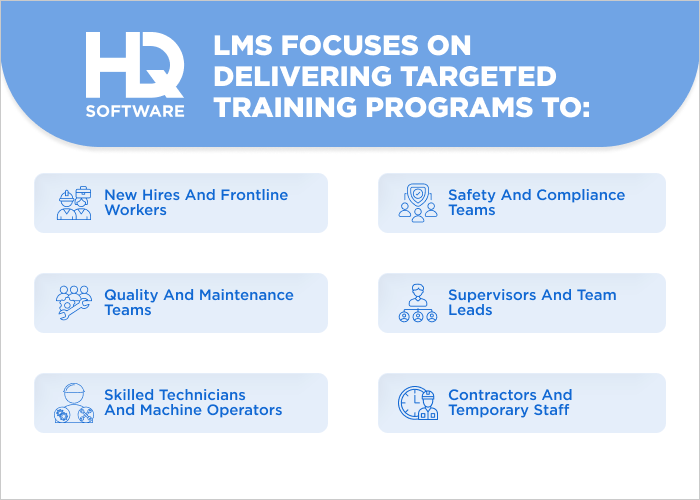
A manufacturing LMS is a specialized software platform designed to meet the unique training and development needs of manufacturing industries. It focuses on delivering targeted training programs to:
New hires and frontline workers: consistent onboarding for roles across assembly lines, quality control, and production.
Skilled technicians and machine operators: in-depth training on equipment operation, maintenance, and troubleshooting.
Safety and compliance teams: up-to-date knowledge of occupational safety and health administration (OSHA), lockout/tagout, hazardous materials, and other critical safety protocols.
Supervisors and team leads: leadership, quality assurance, and continuous skills improvement.
Contractors and temporary staff: role-specific, time-bound training with tracking to ensure compliance before site access.
Quality and maintenance teams: standardizing procedures for preventive maintenance, calibration, and audit readiness.
An LMS for manufacturing is more than just a place to host videos or quizzes. Instead of relying on inconsistent classroom sessions or outdated manuals, this smart system delivers on-demand training solutions. It adapts to shift schedules, language needs, and varying skill levels. LMS for manufacturing ensures that critical knowledge of things such as lockout-tagout procedures, quality management systems (ISO standards), or new automation processes reaches the right people at the right time, with automated tracking.
Benefits of Using an LMS for Manufacturing Training
Manufacturing businesses often face training challenges: an aging workforce retiring with decades of expertise, younger employees expecting digital-first eLearning experiences, and increasingly complex equipment requiring specialized knowledge. It’s clear that traditional training methods are no longer sufficient.
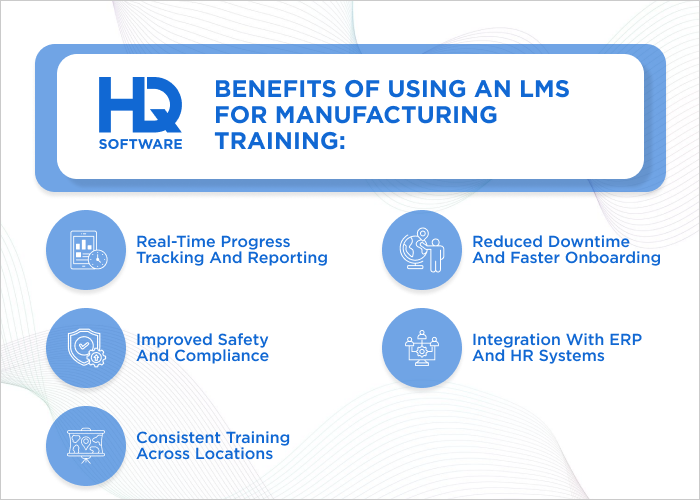
An LMS for manufacturing tackles these challenges head-on, delivering powerful benefits:
Improved safety and compliance. A manufacturing LMS ensures all employees complete required safety training, for instance OSHA standards and hazard communication. It automatically tracks who’s been trained and creates reports for audits, to avoid fines and keep workers safe.
Consistent training across locations. With a centralized platform, every facility receives the same up-to-date training content, regardless of geography. This standardization reduces variability in performance and ensures uniform quality.
Reduced downtime and faster onboarding. Workers get role-specific training quickly, allowing them to become productive faster with less supervision. Digital access means training can happen on demand, minimizing disruptions to production schedules.
Real-time progress tracking and reporting. Managers can monitor who has completed training, identify skill gaps, and assign refresher courses as needed. Detailed analytics support continuous improvement and prove compliance during audits.
Integration with enterprise resource planning (ERP) and HR Systems. The LMS can sync with existing systems such as SAP or Workday to automate user enrollment and training records. This eliminates manual data entry and ensures seamless alignment across departments.
Workers can access training in their preferred language and on mobile devices, even in remote or offline environments. Moreover, when processes or equipment change, updated courses can be rolled out instantly across the organization.
Need a custom software solution? We’re ready to help!
Hymux Technologies has a team of skilled professionals ready to tackle the project. Ask me!
The benefits listed above illustrate what a learning management system can achieve for manufacturing performance. Now, let’s break down the key functionalities that define a manufacturing-grade LMS.
Feature
Description
On-the-job training
Mobile access for floor workers to learn while on the job.
Safety training
Modules on regulatory compliance, hazard recognition, and emergency response.
Equipment and process training
Сourses on machinery operation, maintenance, and lean manufacturing principles.
Quality control
Training on ISO standards, Six Sigma, etc. and defect reduction techniques.
Compliance tracking
Automated tracking of certifications and refresher courses.
Performance analytics
Insights into employee progress and training effectiveness.
So, now you know what makes an LMS powerful for manufacturing. The next step is turning those features into a system that works for your business.
Build a Custom LMS for Manufacturing With Hymux Technologies
The need for precise on-the-job skill development and strict regulatory compliance requires a learning manufacturing platform that goes beyond off-the-shelf solutions.
Hymux Technologies builds custom manufacturing solutions that fit your specific needs, work with your current systems, and meet the latest industry standards. We provide a comprehensive suite of services, including:
Custom LMS development for manufacturing workflows: We can design an LMS that’s aligned with your shop-floor processes, equipment, and safety regulations. It scales across facilities and shifts, supporting rapid onboarding.
SCORM/xAPI compliant content and authoring: All LMSs we develop meet SCORM and xAPI standards for reliable tracking and cross-system compatibility. We also tailor content formats: microlearning, simulations, and hands-on modules, to reflect real manufacturing tasks.
System integration: We can integrate the LMS with your ERP, MES, HRIS, and other enterprise systems to unify training data with production and employees’ data. This enables automated workflows, streamlined certification management, and holistic reporting across the organization.
Mobile learning and offline access: Learners can access training on mobile devices on the factory floor or during travel, using offline mode when connectivity is limited. Auto-sync ensures progress updates when the device reconnects, minimizing downtime and keeping records accurate.
Analytics, reporting, and compliance tracking: Our developers can incorporate real-time dashboards and monitor completion rates, assessment scores, and certification status across sites. These insights support audits and help prioritize targeted coaching and process improvements.
Moreover, for global manufacturing operations, Hymux Technologies offers localization and translation workflows to support a multilingual workforce.
Considering custom software?
Hymux Technologies’s team of experts can design and develop the perfect solution for your business. Let’s discuss it
Even with Hymux Technologies’s custom solutions, benchmarking against market leaders helps validate ROI and long-term flexibility.
In this section, we’ll compare leading platforms on factory-relevant criteria such as offline access, certification management, ERP/MES integration, and real-time analytics to guide your decision.
1. Docebo
Docebo is an AI-powered LMS popular in manufacturing. This cloud-based platform works well for large teams across multiple locations. It uses AI to suggest relevant content, create personalized learning paths, and provide real-time reports.
It integrates easily with ERP and HR systems like SAP and Workday, making it easier to manage employee training records. Docebo also supports sharable content object reference model (SCORM) and xAPI standards. This allows the reuse of existing training materials and tracking employee progress across different types of content. For example, safety protocols and equipment operation guides.
2. 360Learning
360Learning combines the power of an LMS with a social, peer-led learning model. Built on the concept of learning experience platforms (LXP), it empowers subject-matter experts on the shop floor (for instance, senior operators or safety officers) to create and share training content easily.
With features such as in-app guidance, video tutorials, and real-time feedback, 360Learning reduces the gap between training and actual performance. Its seamless integration with Microsoft Teams, Workday, and SAP makes it ideal for manufacturers looking for relevant collaboration across plants and shifts.
3. TalentLMS
TalentLMS is a cloud-based learning platform widely used by mid-sized manufacturing companies for its simplicity, speed of deployment, and cost-effectiveness. It offers a drag-and-drop course builder, SCORM compliance, mobile access, and live virtual classrooms. This makes it easy to convert standard operating procedures (SOPs), safety videos, and equipment manuals into trackable training.
TalentLMS combines role-based access, completion certificates, and real-time reporting, so it can be used for onboarding, compliance, and skills development.
4. iSpring Learn
This is a fast-growing LMS popular for its seamless integration with PowerPoint and ease of use in creating training courses from existing materials. The platform is ideal for companies with legacy content. Teams can quickly convert safety presentations, equipment guides, and SOPs into interactive, mobile-ready eLearning modules. The system can include quizzes, video, and tracking features without requiring technical expertise.
iSpring Learn offers built-in tools for creating content, works with SCORM standards, and gives clear reports. It offers simple design, mobile access without Internet, and fast content updates.
5. SAP Litmos
SAP Litmos blends enterprise-level power with consumer-grade simplicity, making it optimal for a diverse workforce. Its most significant feature is the combination of a massive, off-the-shelf content library. The library is rich with critical compliance, safety, and soft skills courses.
But its biggest advantage is its built-in connection to SAP systems. This means training records and certifications automatically link to employee profiles in SAP SuccessFactors and business operations data in their ERP. By doing so, this LMS creates a single system to track skills and show how training improves business results.
6. Cornerstone OnDemand
Cornerstone OnDemand is an AI-driven talent experience platform built to support strategic workforce growth. Its unique power lies in its ability to go beyond basic compliance training. Cornerstone’s standout feature is its sophisticated skills engine, the “Skills Graph,” which creates a dynamic profile for each employee. It identifies their current capabilities and proactively recommends personalized learning paths to prepare them for future roles within the company.
For manufacturers facing an aging workforce and the need for rapid upskilling, this changes the way they look at training. It turns training from a reactive task into a proactive way to build a strong team.
7. LearnUpon
LearnUpon excels in the manufacturing space through its unique combination of multi-audience management and user-centric simplicity. Its core functionality is the ability to create and manage multiple distinct, branded learning “portals” from a centralized account. This makes it ideal for manufacturers who must train a complex ecosystem of internal employees, temporary contractors, and external partners—for instance, dealers, distributors, or suppliers.
Its architecture allows for precise delivery of role-specific compliance, safety, and product training to each group without creating administrative chaos. LearnUpon is known for its 24/7 customer support. This means even non-technical training managers can set up and grow advanced learning programs quickly.
8. Tovuti LMS
Tovuti LMS is an all-in-one “training ecosystem” that empowers organizations to build highly engaging learning experiences from the ground up. It offers a built-in course-authoring suite, which allows manufacturers to rapidly create interactive training modules. These can be developed for proprietary equipment, complex assembly procedures, and specific safety protocols without the need for separate, costly software.
This ease is complemented by deep gamification features (such as leaderboards, badges, and customizable certificates) and a robust virtual classroom and event management system. This enables companies to offer a seamless blend of self-paced learning with live, instructor-led sessions for hands-on skills.
9. SkyPrep
SkyPrep focuses on process automation and streamlined compliance management, designed to make the training manager’s life easier. Its most unique feature is the powerful automation engine that governs the entire learner lifecycle.
Managers can set rules to automatically enroll employees based on their hire date or job role, send recurring reminders for annual safety recertifications, and deactivate users when they leave. Beyond the automations, a built-in checklist and assessment tool lets supervisors verify and e-sign employees’ hands-on skills right on the shop floor.
10. Absorb LMS
Absorb LMS stands out in manufacturing training with its intuitive, mobile-first design and robust analytics that provide real-time insights into employee progress. Leveraging AI-powered customization, it tailors learning paths to individual roles while supporting interactive content creation to meet sector-specific regulations.
Absorb LMS easily syncs with your current systems, and its unified dashboard simplifies administration by combining reporting, tracking, and management in one place. Its strong security and scalability meets modern manufacturing needs and supports future innovations in workforce education.
How To Choose the Right LMS for the Manufacturing Industry
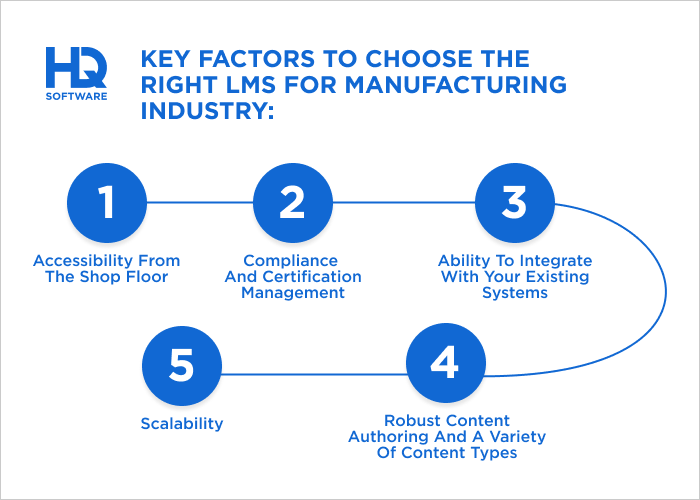
Selecting the right LMS is a critical decision that can significantly impact a manufacturing company’s operational efficiency. To make an informed choice, we recommend considering five key factors:
Accessibility from the shop floor. Training is not confined to a classroom. Frontline employees need to access instructions, safety procedures, and quick refreshers directly from their workstations or on the go. So, look for a system with a robust mobile app that works seamlessly on tablets and smartphones.
Compliance and certification management. The manufacturing industry is heavily regulated, and staying compliant is non-negotiable. Your LMS should have strong features for tracking and reporting on training completion, managing certifications and licenses, and automatically notifying managers when a renewal is due.
Ability to integrate with your existing systems. An effective LMS should not be an isolated tool. It needs to connect with your ERP, MES, etc. to link training data directly to production performance. This allows you to automate training assignments based on job roles and ensure that only certified personnel are assigned to specific tasks.
Robust content authoring and a variety of content types. A manufacturing LMS should be able to host more than just standard presentations. Look for a platform that supports video tutorials, interactive simulations, and Augmented or Virtual Reality (AR/VR) modules, which can be invaluable for machine operation training.
Scalability. The LMS you choose should be able to scale with you, accommodating a larger number of users and more complex training paths. Partner with a provider that offers regular updates to ensure your system remains effective for years to come.
To sum up, implementing a new LMS in manufacturing might feel overwhelming, but it’s one of the best investments you can make to boost your team’s skills and streamline training.
Steps To Implement an LMS in Your Manufacturing Business
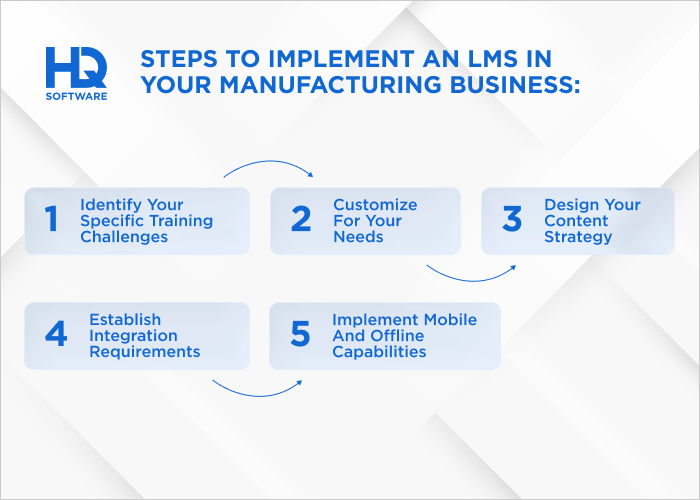
Here’s how we approach it, straight from our experience:
Define your goals. Identify your specific training challenges. Are you struggling with compliance tracking? Do you need a better way to onboard new hires? What types of content will you need to host: video, simulations, PDF manuals? A detailed requirements list will serve as your blueprint for the entire project.
Customize for your needs. This is where your LMS starts to take shape. This step might include setting up user roles and permissions, customizing the user interface with your company branding, and establishing automated workflows for training assignments and notifications.
Design your content strategy. Plan for microlearning modules that operators can complete during short breaks, comprehensive certification programs for specialized equipment, and just-in-time resources for troubleshooting. We help to structure content that’s both engaging and practical for manufacturing environments.
Establish integration requirements. Then we map out how it will connect with your existing technology ecosystem. Will it need to pull employee data from your human resources information system (HRIS)? Do you need integration with quality management systems for compliance reporting? Understanding these points early prevents costly modifications later.
Implement mobile and offline capabilities. Ensure your LMS is accessible on tablets and smartphones for flexibility, with offline modes for areas with limited connectivity. Configure the system to sync completed training when devices reconnect to the network.
This flexibility ensures training can happen anywhere in your facility, from the break room to the production floor. However, the implementation process doesn’t end after the launch. Regularly monitor system usage and training completion rates to measure the success of the platform.
At Hymux Technologies, we perform regular maintenance, apply updates, and explore new features as your business and training needs evolve. This ongoing commitment ensures your LMS remains a valuable and strategic tool for years to come.
Contact us to know more about our manufacturing training development services.
An experienced developer with a passion for IoT. Having participated in more than 20 Internet of Things projects, shares tips and tricks on connected software development.
What’s the Difference Between LMS and General Training Software?
In manufacturing, an LMS goes beyond general training software by offering structured course management, compliance tracking, and audit-ready reporting. While general tools may support basic onboarding, an LMS ensures workers master safety protocols, equipment operation, and quality standards.
Can the LMS Support Structured SOP Training and Tracking?
Yes, a manufacturing LMS supports structured SOP training by organizing content into courses, tracking employee progress, and documenting completion. It ensures consistent delivery, verifies comprehension through quizzes, and maintains audit-ready records. With version control and completion tracking, it guarantees that every employee follows the latest protocols.
Is It Possible to Turn Our Current PowerPoints and Training Videos Into Courses Without Starting From Scratch?
Yes, most manufacturing LMS platforms allow you to easily upload existing PowerPoints, training videos, PDFs, and documents to create structured courses without starting over. With built-in authoring tools, you can add quizzes, navigation, and tracking to legacy content, converting static materials into interactive learning modules.
What Types of Training Content Work Best for Manufacturing Environments?
For manufacturing environments, the most effective training content includes:
video tutorials;
interactive simulations;
standard operating procedures;
safety training;
compliance modules;
mobile-friendly microlearning.
These formats support hands-on learning, reinforce critical skills, and ensure consistent training across all levels of the workforce.
Is It Possible to Integrate the LMS With Our ERP or HR Management Systems?
Yes, most modern manufacturing LMS platforms offer seamless integration with ERP and HR systems. This enables automatic user provisioning, synchronized training records, and real-time reporting. Integration ensures that compliance data flows across platforms, reduces manual entry, and aligns workforce development with operational and HR processes.
Can We Use the LMS to Train Contractors and Temporary Workers?
Yes, a manufacturing LMS can effectively train contractors and temporary workers with role-specific onboarding, safety protocols, and compliance courses. Many systems support guest accounts, time-limited access, and completion tracking. This ensures all personnel, regardless of employment status, meet safety standards and operational requirements before entering the shop floor.
We are open to seeing your business needs and determining the best solution. Complete this form, and receive a free personalized proposal from your dedicated manager.